What Are Discord Fonts and How Do They Work?
Discord fonts are not fonts in the usual sense. Discord does not let you choose a typeface for your name or messages, so a Discord font generator uses a clever workaround: it swaps each ordinary letter for a look-alike character from Unicode, the global standard that gives every character on every device a number. Unicode includes complete alphabets that were added for math, science and other scripts, such as 𝐛𝐨𝐥𝐝, 𝓈𝒸𝓇𝒾𝓅𝓉, 𝔤𝔬𝔱𝔥𝔦𝔠 and ᴛɪɴʏ ᴄᴀᴘꜱ letters.
Because these are characters rather than a font file, the styling travels with the text. When you paste 𝐃𝐢𝐬𝐜𝐨𝐫𝐝 into a nickname, everyone in the server sees the bold version without installing anything. The same trick works almost anywhere text is accepted, which is why these styles are also called fancy text or copy-and-paste fonts.
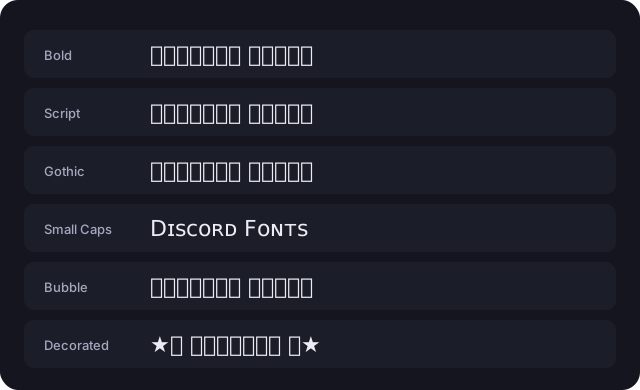
How to Use the Discord Font Generator
- Type your text in the box at the top of the page. Every style updates instantly as you type.
- Browse the styles or use the filter buttons (Bold, Cursive, Gothic, Decorative, Aesthetic and Glitch) to narrow the list. Tap Load more fonts to see every option.
- Check the live preview to see how the style looks as a display name and as a chat message on a dark background, plus whether it fits the 32-character name limit.
- Click Copy (or the styled text itself). A “Copied!” message confirms it is on your clipboard.
- Paste it into Discord with Ctrl+V, Cmd+V or a long press on mobile, then save.
How to Change Your Discord Name Font, Nickname or Server Name
Discord menus move around from time to time, so the labels below may differ slightly in your version of the app, but the fields themselves stay the same.
Display name
Your display name is shown next to your messages in every server. Open User Settings, go to the profile section, paste your styled text into Display Name and save. Display names can be up to 32 characters.
Server nickname
To use a different Discord font in just one server, open that server’s menu, choose the option to edit your server profile, and paste into Nickname. Some servers stop members from changing nicknames, in which case you will need to ask a moderator.
Server and channel names
If you own or manage a server, paste styled text into the server name in Server Settings, or edit a channel and paste into its name. Fancy channel names such as “︱𝐠𝐞𝐧𝐞𝐫𝐚𝐥” are a popular way to make a server look organized. Keep important channels readable so new members can find their way around.
About Me and messages
Your About Me bio and normal messages accept everything on this page, including longer decorated styles and emoji wrappers, so they are the best place for experimental text.
Best Discord Fonts for Usernames, Bios and Servers
The right Discord font depends on where people will see it:
| Where | Good choices | Why |
|---|---|---|
| Display name and nickname | Bold, Bold Script, Small Caps | Readable at small sizes and supported on nearly every device. |
| About Me bio | Aesthetic, Sparkles, Kawaii wrappers | More room for decoration, and readability matters less than in a name. |
| Server name | Gothic, Double-Struck, Royal Frame | A strong title style gives a server a clear theme. |
| Channel names | Small Caps, Bold Sans, Monospace | Compact styles that keep the channel list tidy. |
| Messages and memes | Glitch, Upside Down, Bubble | Eye-catching for jokes and announcements, but use them sparingly. |
A good rule is that anything people need to read quickly, like a name they want to @mention, should use a clean style. Save heavy decoration for places where it is purely for fun.
Discord Text Formatting (Markdown) Explained
Discord also has built-in formatting called markdown. Instead of special characters, you wrap text in symbols and Discord styles it for you: **bold**, *italic*, __underline__, ~~strikethrough~~ and ||spoiler||. You can also start a line with # for a header, -# for small subtext or > for a quote, and use code blocks for monospace or even colored text.
Markdown only works in messages (and a few profile fields). It does nothing in names, which is exactly why Unicode Discord fonts exist. Try both with the formatting tool above, or read the full Discord text formatting guide.
Why Some Discord Font Styles Show as Boxes
If someone sees empty rectangles (sometimes called “tofu”) or question marks instead of your text, their device does not have a font that contains those characters. Nothing is wrong with the text itself; it is a display limitation on that particular screen. A few practical notes:
- Bold, italic, script, gothic and double-struck letters are supported by current versions of Windows, macOS, iOS and Android.
- Squared, dark bubble, hieroglyph and some upside-down letters are newer additions and are the most likely to break on older phones, smart TVs and game consoles.
- Combining-mark styles such as strikethrough, underline and zalgo depend on how each device stacks marks, so they can look misaligned.
- Styles with a Limited support badge in the generator are the riskiest. Hover over or tap the badge for details.
Accessibility: Screen Readers and Fancy Unicode
Fancy text looks like letters, but to software it is a string of mathematical or decorative symbols. Many screen readers announce each character by its technical name (for example “mathematical bold capital D”) or skip it entirely, and search tools may not match it. That can make your name hard to find and hard to follow for people who rely on assistive technology.
Use Discord fonts for decoration, not information. Keep rules, announcements and anything important in plain text, and consider a clean style for your display name so others can mention and read it easily.